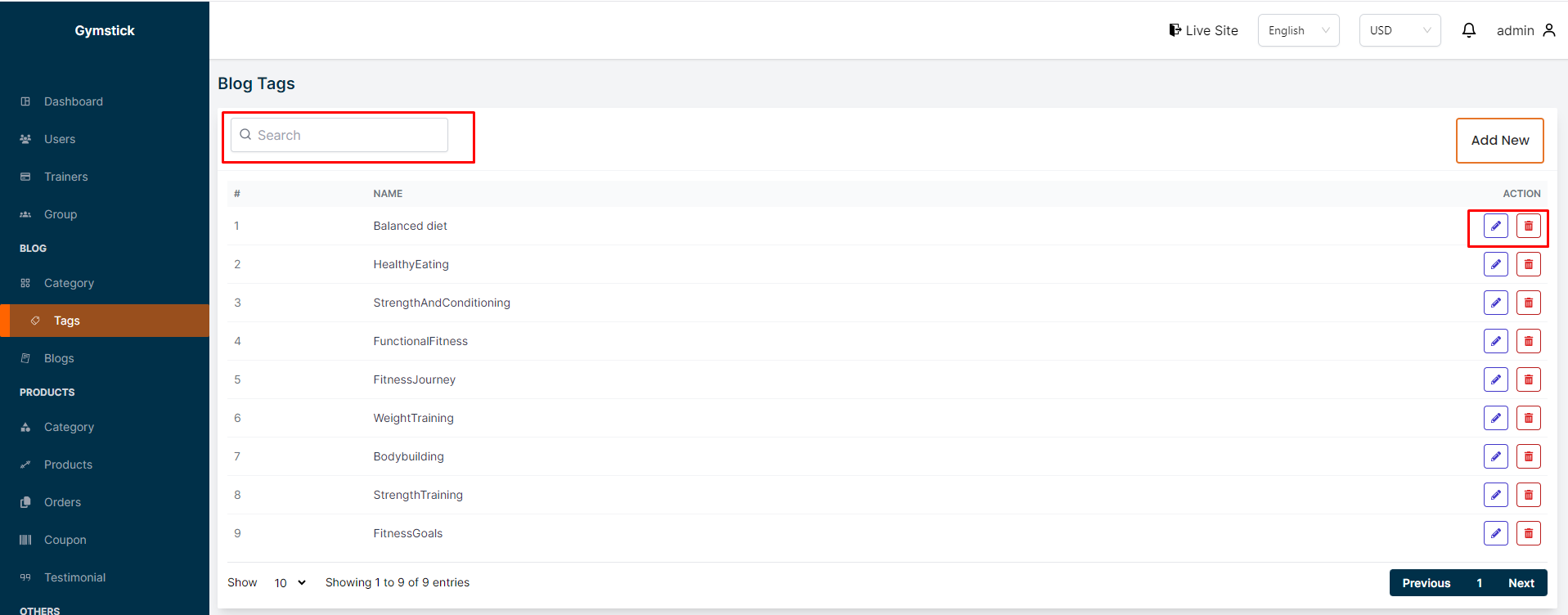
In this section, the admin can create tags for the blog posts.
The admin will be able to see all the existing tags.
Admin can search a specific tag by using the "search bar".
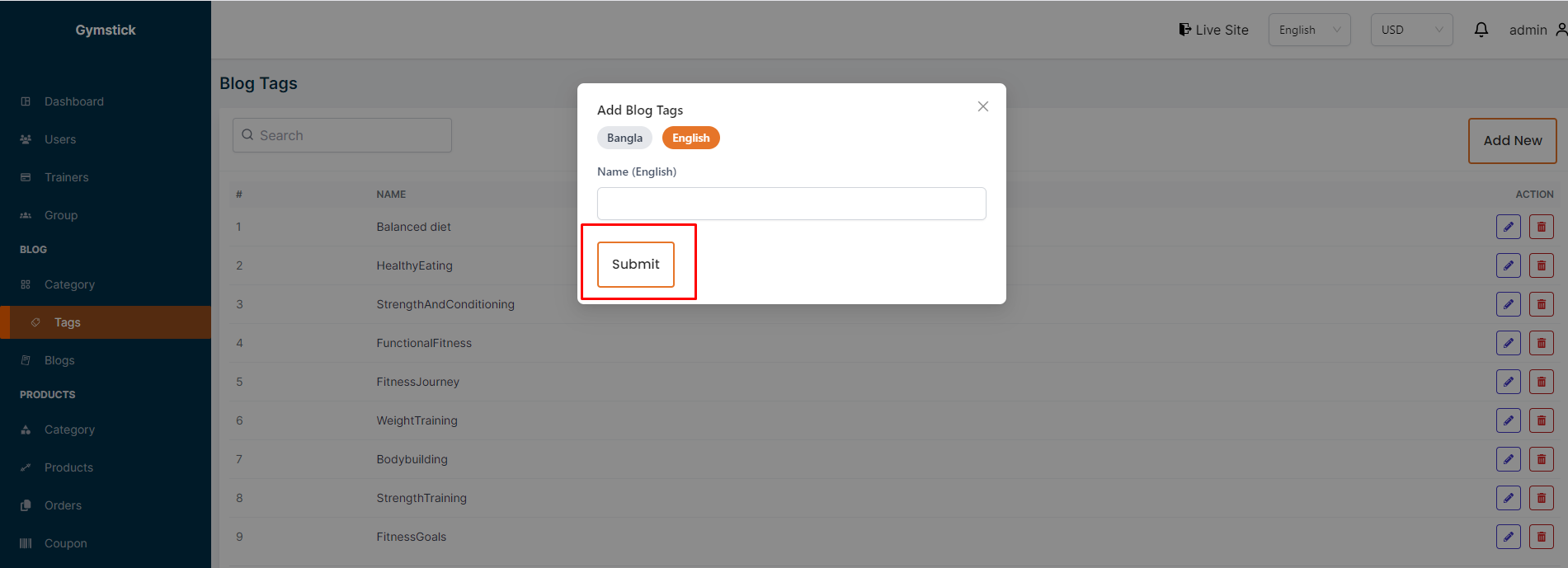
# Here is how to add a new tag !
To add a new tag, click on the "Add New" button. A form will appear where you can add a new tag.You can add the tag in multiple languages .After adding the tag, click on the "Submit" button to Submit the tag.
# Here is how to edit and delete a tag !
To edit a tag, click on the "Edit" action button. A form will appear where you can edit the tag.After editing the tag, click on the "Submit" button to Submit the tag.To delete a tag, click the " Delete " action button.