# Admin Dashboard
Overview
The admin dashboard is the central hub for administrators after a successful login. It provides a comprehensive overview of key metrics and statistics essential for managing the platform effectively.
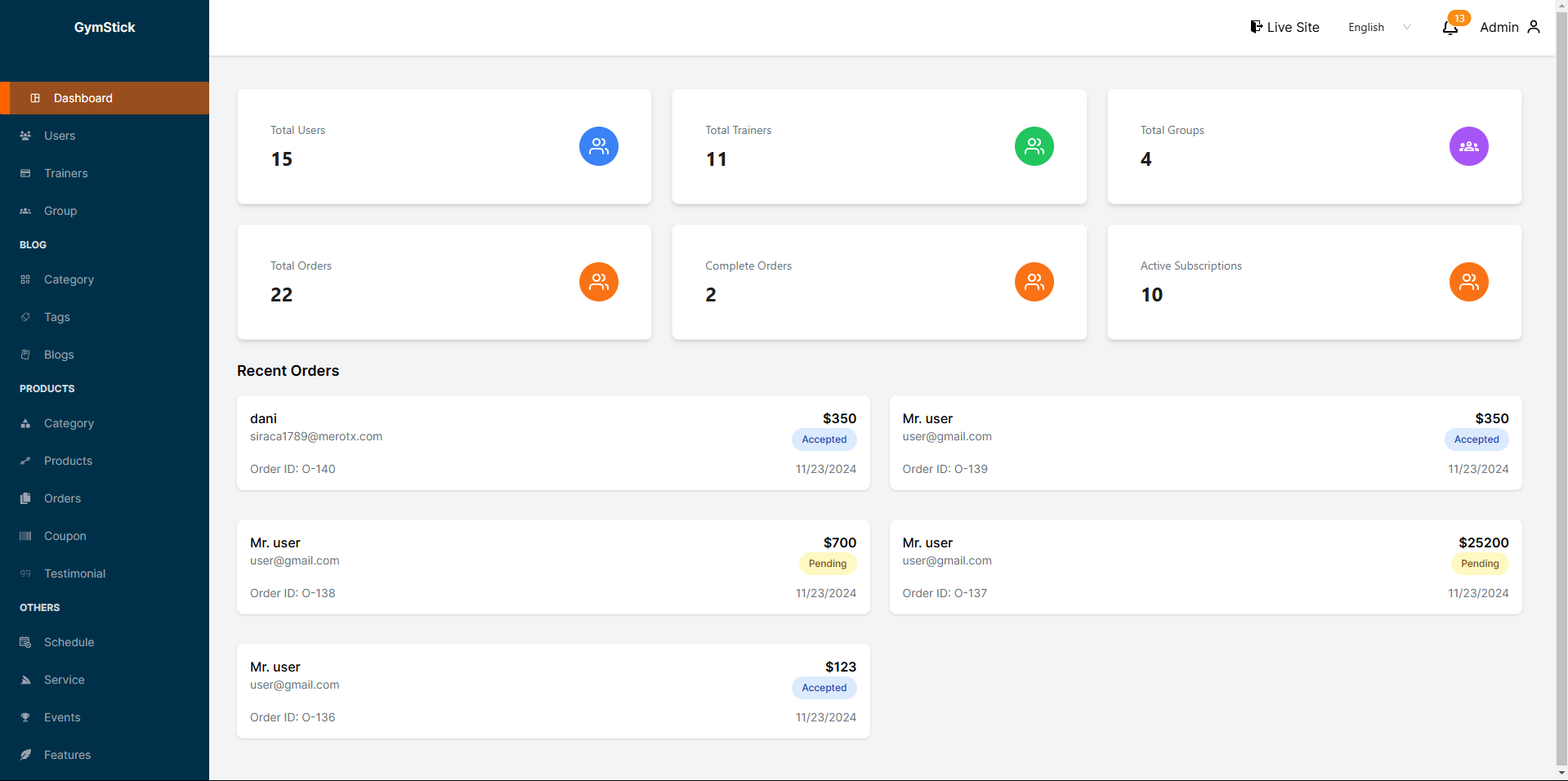
Key Metrics Displayed
- Displays the total number of registered users on the platform. This metric helps admins understand the user base size and track growth over time.
1. Total Users
- Shows the total number of trainers available within the system. This information is crucial for managing trainer-related resources and activities.
2. Total Trainers
- Indicates the total number of groups created on the platform. Admins can use this data to assess community engagement and group dynamics.
3. Total Groups
- Represents the total number of orders placed by users. This metric helps in evaluating the platforms sales performance and user engagement.
4. Total Orders
- Highlights the number of orders that have been successfully completed. This information is vital for tracking the efficiency of order processing and user satisfaction.
5. Complete Orders
- Displays the total number of active subscriptions. This metric is important for understanding revenue generation and user retention.