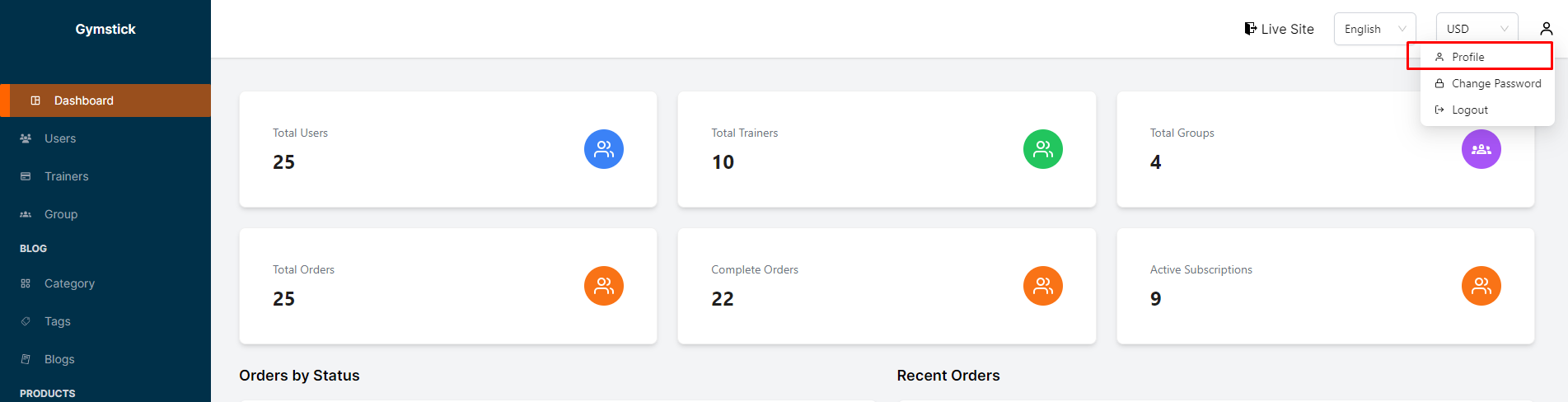
Clicking on "Profile", admin will be able to see his profile details setting.
# Profile Details
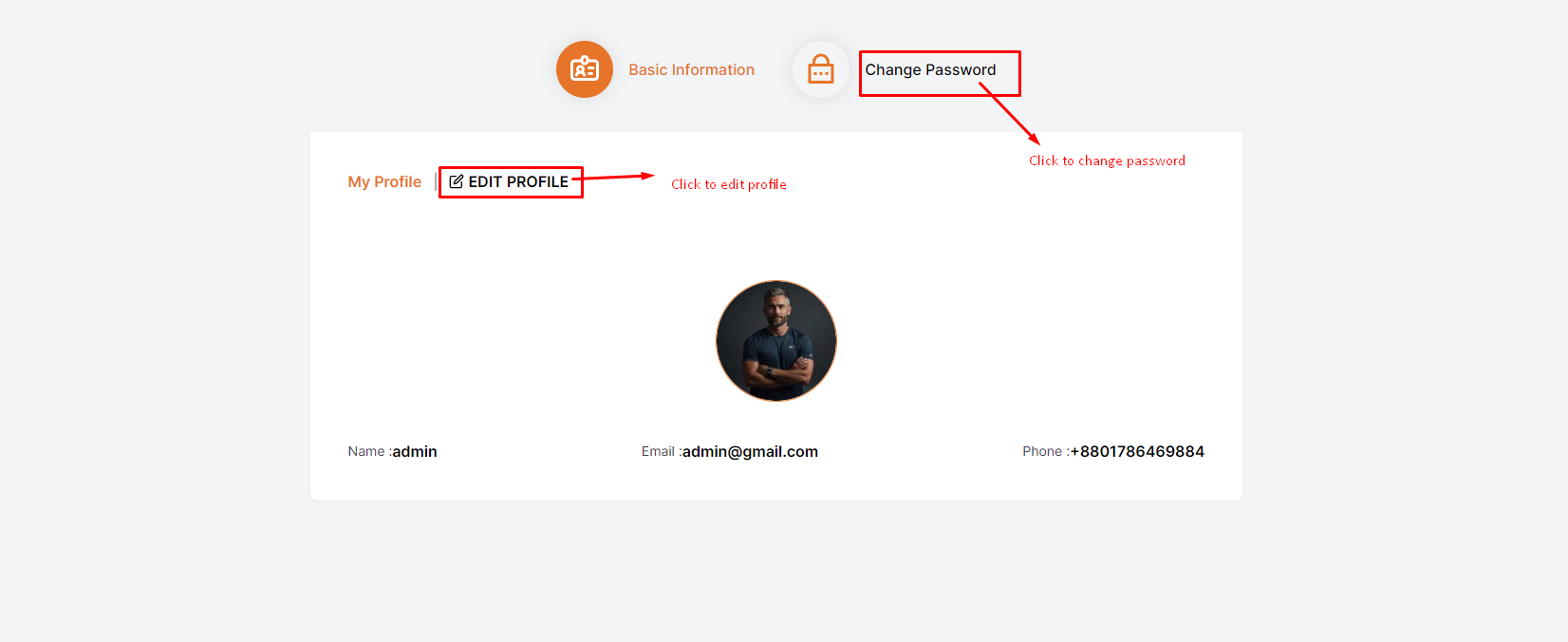
Admin can see his profile details like name, email and phone number.
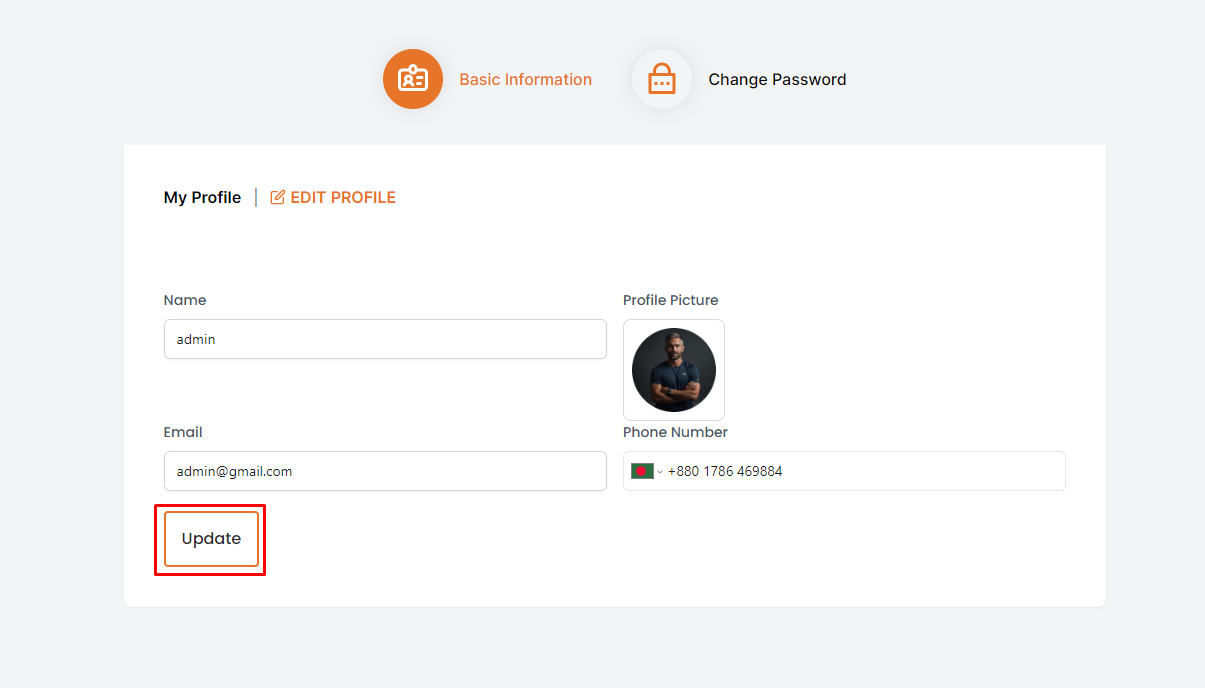
By clicking on "Edit Profile", a form will be displayed where admin can edit his profile details and click on the "Update" button to save the changes.
# How to change admin password ?
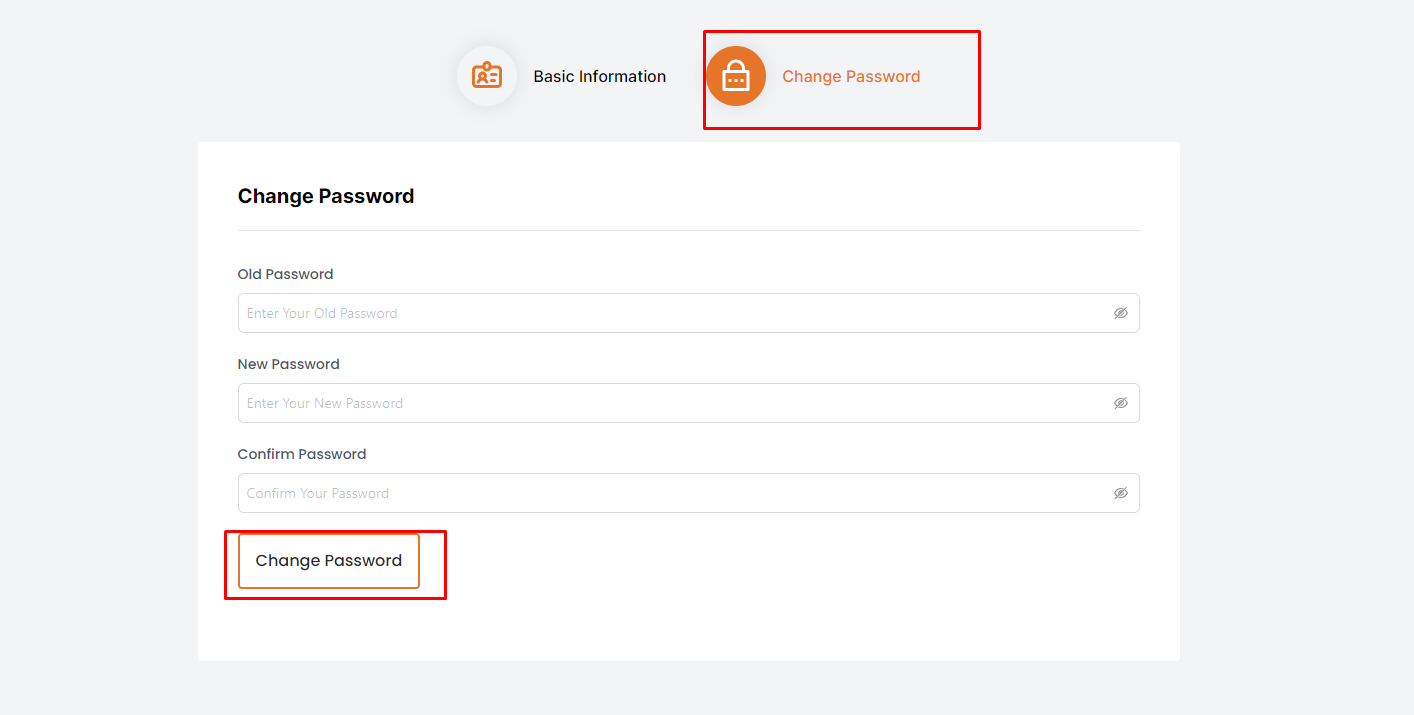
Admin can change his password by clicking on the "change password" button.
A form will then be displayed where the admin can enter their current password, new password, and confirm the new password. After entering the details, the admin can click on the "Change Password" button to save the changes.