# Pricing plan
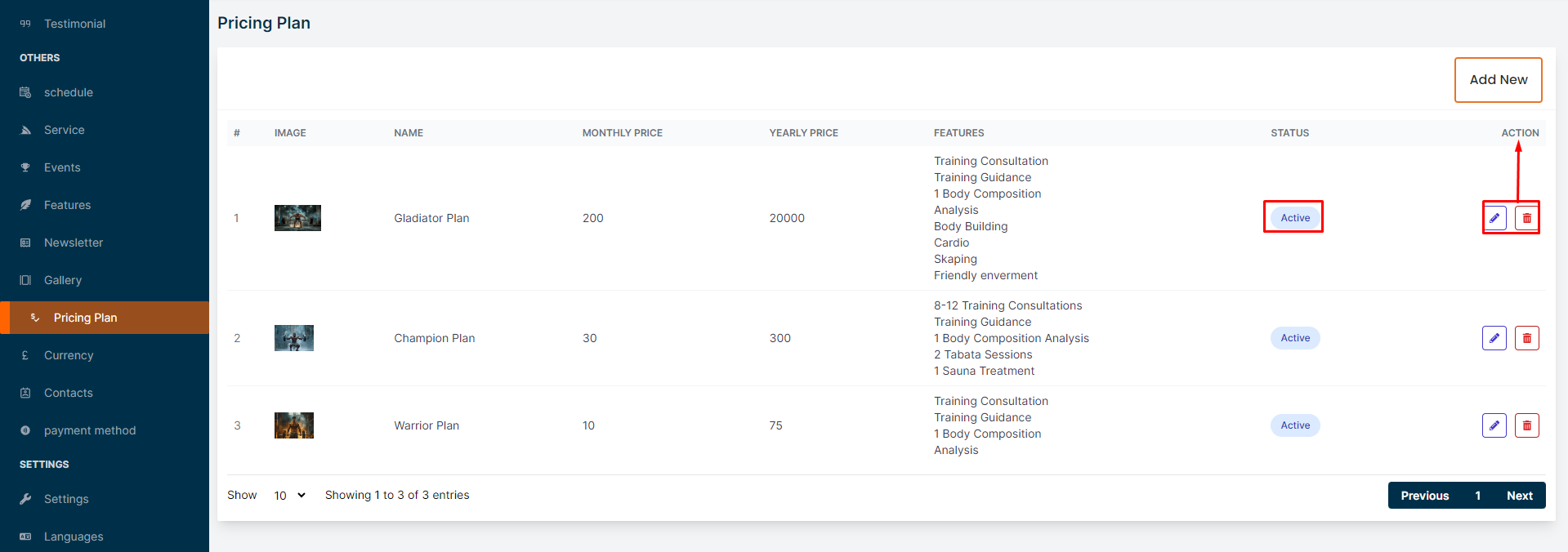
In this section, the admin can create pricing plans to sell subscriptions for gym services.This is the pricing plan page where admin can see all the existing pricing plans.Admin can see the active status of the pricing plan.# Here is how to add a new pricing plan !
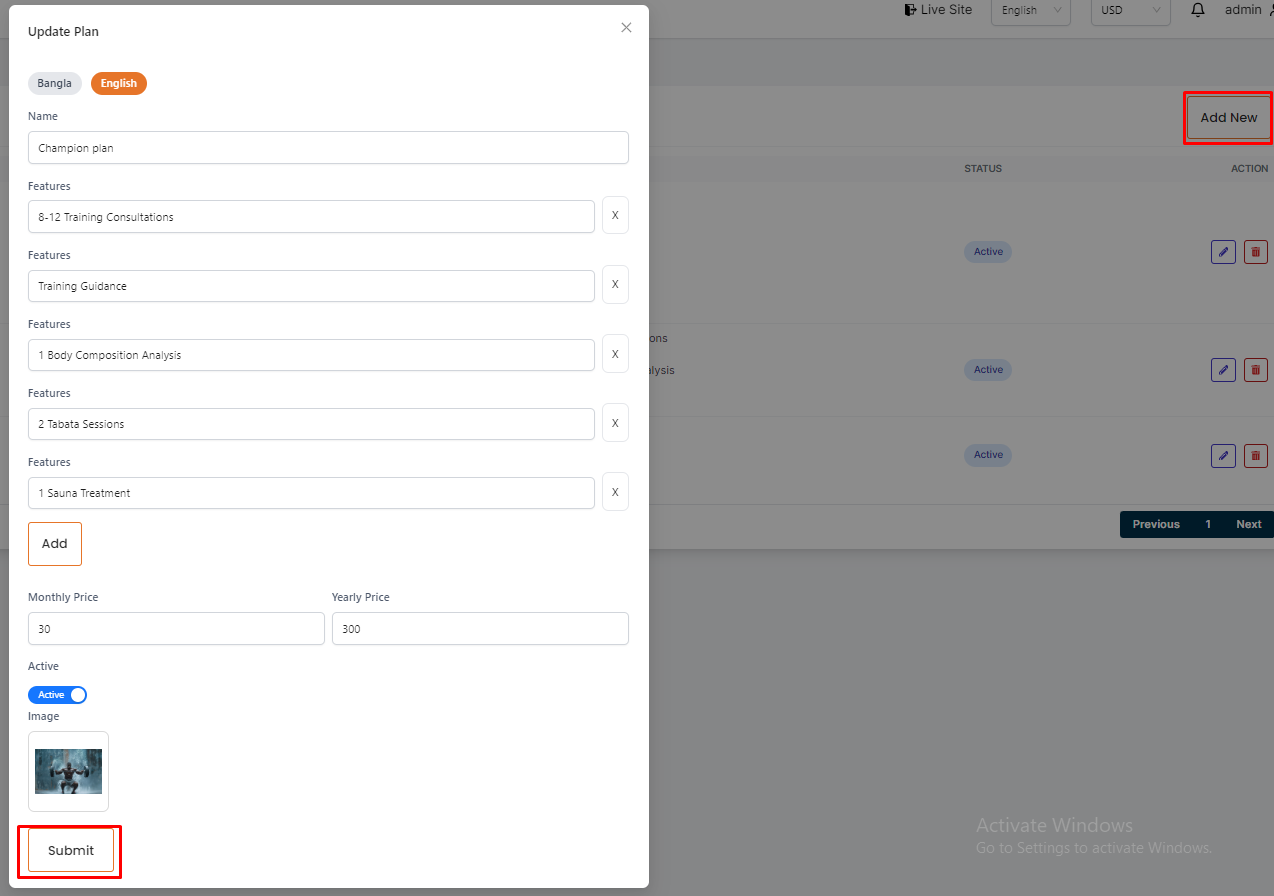
To add a new pricing plan, click on the "Add New" button. Fill all the required fields and click on the "Submit" button to save the pricing plan.# Here is how to edit and delete a pricing plan !
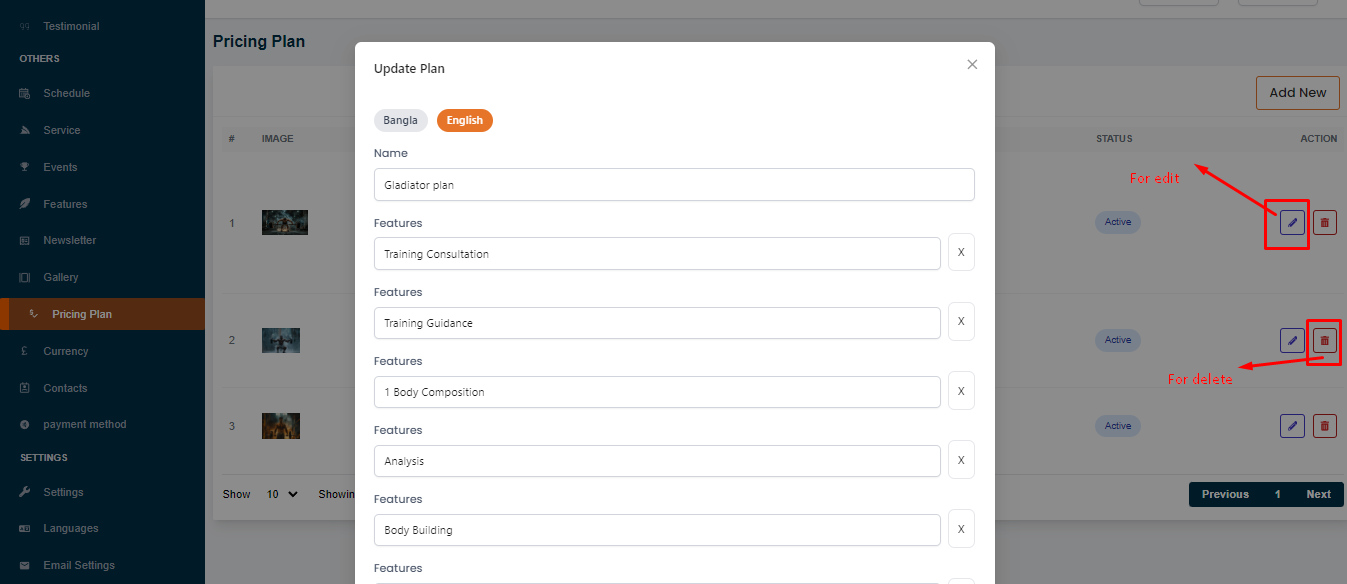
To edit or delete a pricing plan, click on the "Edit" or "Delete" action button.